
How Clients/Patients View and Respond to Secure Messages
Overview
Section titled “Overview”Apptoto’s Secure Messaging feature protects sensitive information by requiring clients to access messages through a secure link rather than receiving content directly in their inbox.
What clients receive
Section titled “What clients receive”When you send a secure message, clients receive a brief notification via SMS or email that includes only a link to view the message.
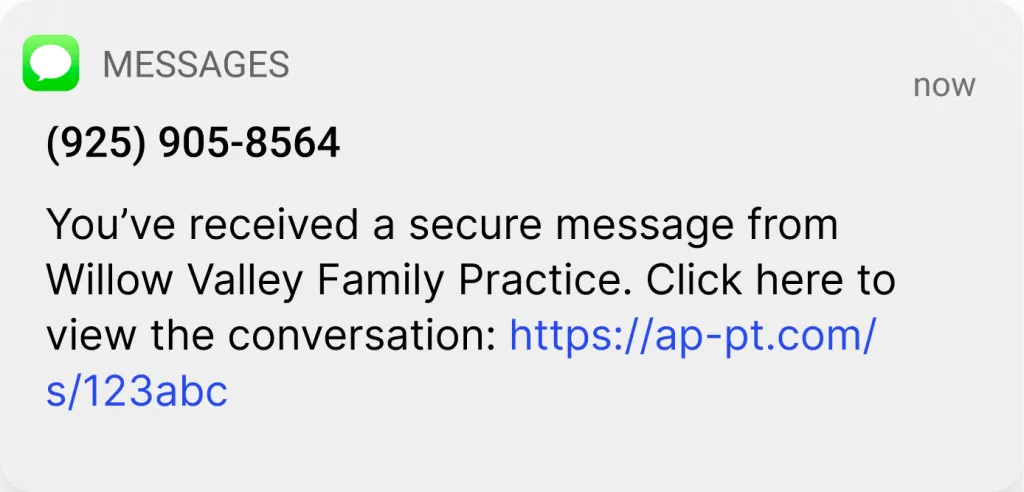
SMS format: “You’ve received a secure message from [Your Name and Company]. Click here to view the conversation: [Secure Link]”
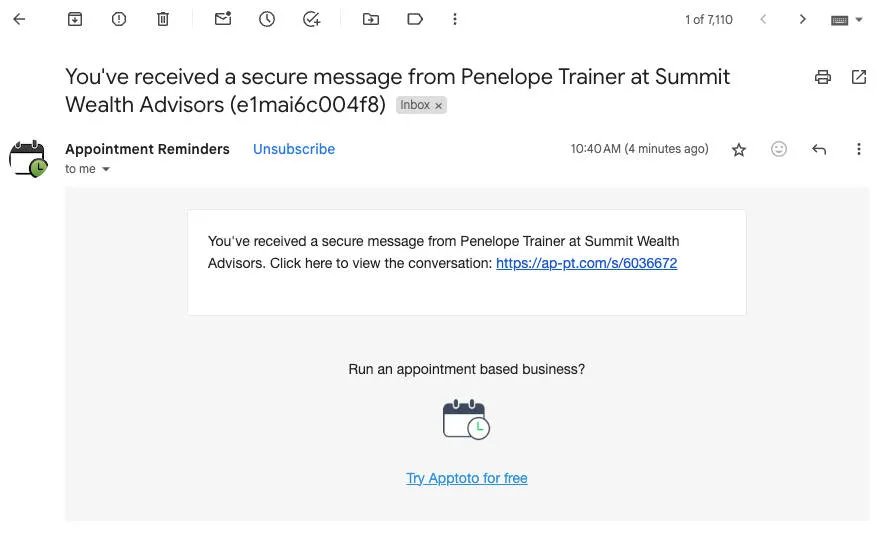
Email format: Similar notification with clickable link to access the message securely.
Accessing the message
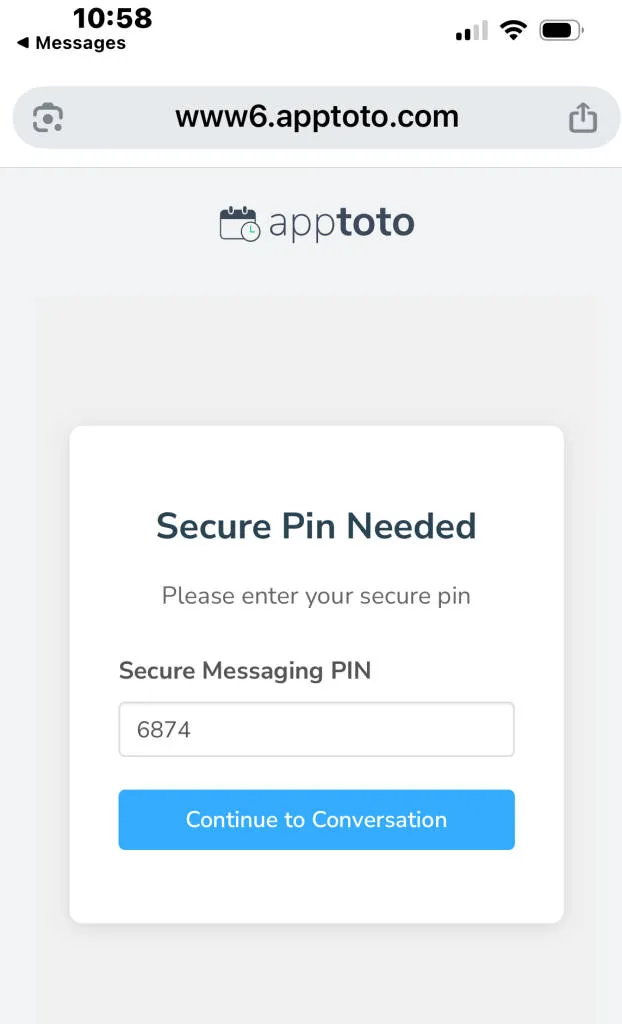
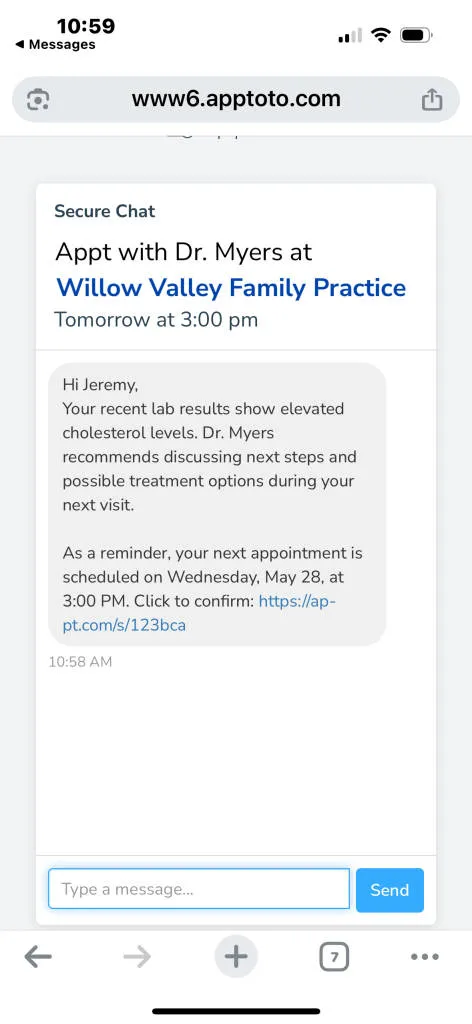
Section titled “Accessing the message”Clients click the provided link to open a web page where they can read messages. If PIN protection is enabled, they must first enter their PIN before viewing the conversation.
Link expiration
Section titled “Link expiration”Secure message links expire after a default period of 24 hours (adjustable to 10 days, 6 months, or 1 year). When expired, clients receive notification and can request a new link.
Client responses
Section titled “Client responses”When clients reply to secure messages, their responses appear in:
- The Inbox/Outbox tab as part of the existing message thread
- Appointment and contact message history
- Team notifications (based on configured settings)
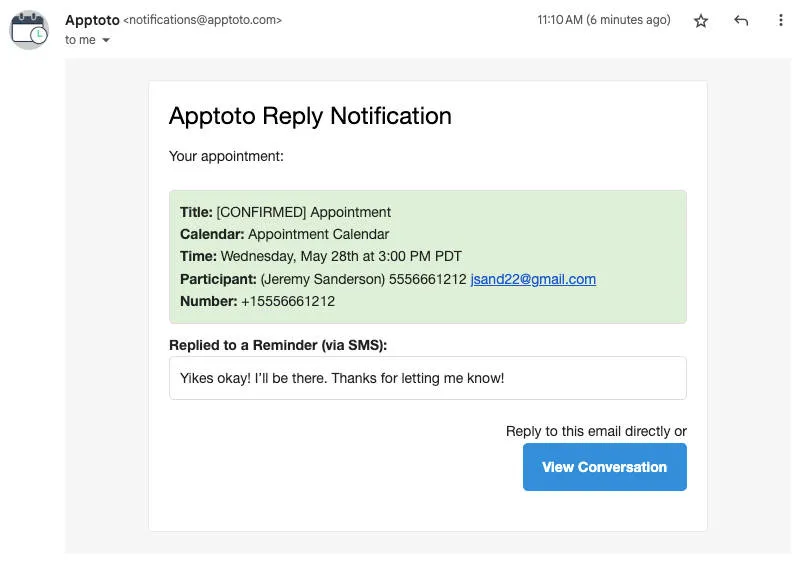
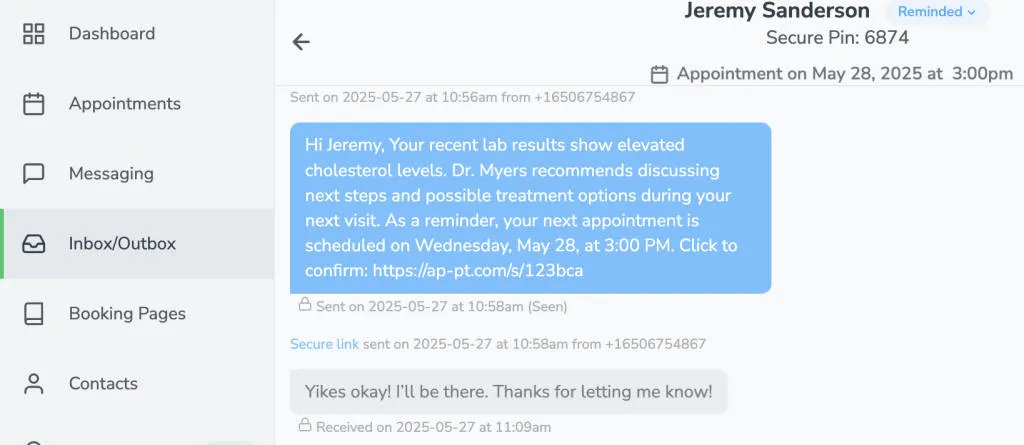
Responses are integrated into standard message threads but indicate the original message was sent via a secure link.
For access requests, contact support@apptoto.com.